How to Prevent Your Blender From Overheating?
Preventing blender overheating is essential to ensure its efficiency and durability. Overheating can occur due to various factors, including blending tough ingredients for extended periods or inadequate ventilation. In this guide, we'll explore effective strategies to keep your blender running smoothly and avoid potential damage caused by overheating. Let's dive into the key methods for maintaining your appliance's optimal performance.
Avoid Overloading
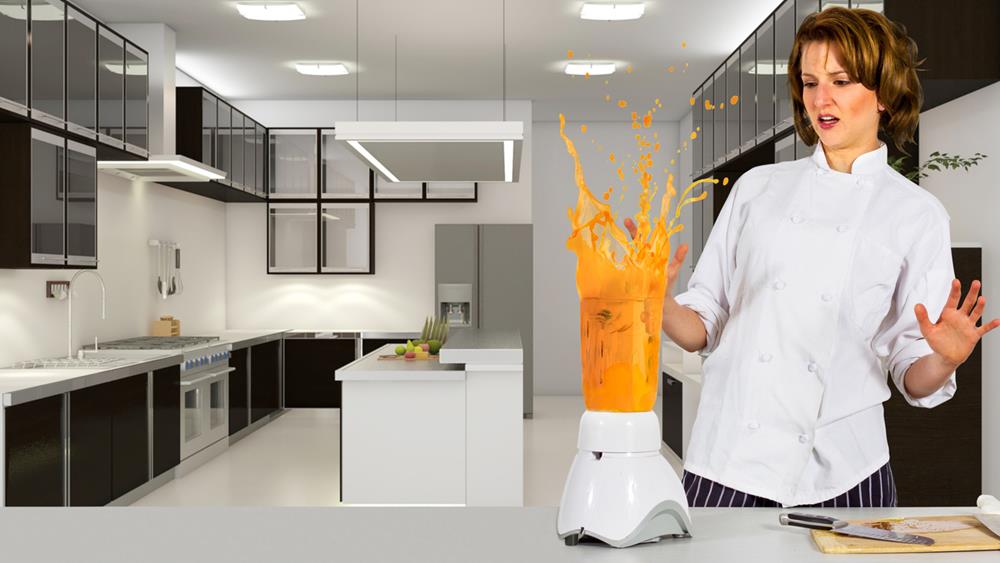
To prevent your blender from overheating, avoid overloading it with too many ingredients. Adhere to the manufacturer's recommended maximum capacity to ensure efficient operation and extend the blender's lifespan.
Blending in smaller batches reduces the risk of overheating and improves blending performance. Smaller batches allow for proper airflow within the blender, aiding in heat dissipation. When airflow is blocked by too many ingredients, heat accumulates quickly, causing the motor to overwork.
Ensure Proper Airflow
To prevent your blender from overheating and to ensure efficient motor cooling, it's essential to position it correctly. Place your blender on a flat surface, away from walls and other obstructions, to allow for proper airflow. This setup is crucial for optimal performance and longevity.
To maintain adequate ventilation, follow these guidelines:
Avoid covering the vents: Ensure the blender's vents remain unobstructed during use to prevent heat buildup.
Keep it away from other appliances: Position your blender away from other kitchen gadgets that could block its air vents, allowing for better air circulation.
Regularly clean the vents: Dust and debris can clog the vents, so clean them periodically to maintain airflow.
Choose the right location: Place your blender in an open area on your countertop to maximize ventilation.
Avoid Overfilling Blender
To avoid overfilling, always follow the manufacturer's guidelines on maximum capacity. Here is a helpful table for ideal fill levels:
| Blender Size | Recommended Fill Level |
|---|---|
| Small (up to 32 oz) | Halfway (16 oz) |
| Medium (32-48 oz) | Two-thirds (32 oz) |
| Large (48-64 oz) | Three-quarters (48 oz) |
| Extra Large (64+ oz) | Four-fifths (51 oz) |
| Commercial Grade | As per manufacturer's |
Clean Air Vents
To ensure optimal functionality, keep the air vents clean. Regularly use a soft brush or compressed air to remove dust and debris. This simple maintenance step ensures that your blender's motor can breathe and perform efficiently. Check the air vents regularly for any buildup of dust or debris. Keeping the vents clear will help prolong the lifespan of your blender's motor.
Use Correct Speed
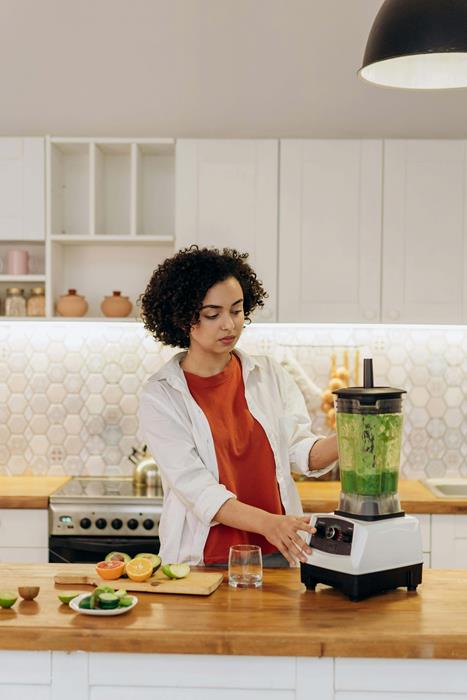
Another great tip to prevent overheating of a blender is to start at lower speeds and gradually increase as needed. Beginning at a lower speed helps maintain peak performance and allows the motor to cool effectively. Different blenders have various speed settings, so it's crucial to understand your model's capabilities. The power source can also impact your blender's performance and overheating risk.
High speeds generate more heat, which strains the motor. By starting at a moderate pace, you allow the motor to handle the workload without excessive stress. Gradually increasing the speed ensures the ingredients blend smoothly while maintaining motor efficiency. This method distributes the workload evenly and reduces the risk of overheating.
Additionally, adjust the speed based on the ingredients you're blending. Softer ingredients mightn't require high speeds, while tougher ones might need a gradual increase. Avoid running the blender at high speeds consistently, as prolonged use at maximum settings can lead to overheating and potential damage.
Cut Ingredients Smaller

Cutting ingredients into smaller pieces significantly reduces the strain on your blender's motor, preventing it from overheating. Smaller pieces make it easier for the blender to process the ingredients, avoiding resistance and ensuring efficient blending. Large chunks or whole fruits and vegetables can create resistance, which may lead to overheating and motor stress.
By ensuring your ingredients are appropriately sized, you enhance your blender's overall performance.
Here are the benefits of cutting ingredients into smaller pieces:
Easier blending: Smaller pieces are easier for the blades to process, resulting in smoother blends.
Reduced wear and tear: Less strain on the motor extends its lifespan and improves performance.
Prevent overheating: Properly sized ingredients keep the motor from overworking and overheating.
Consistent texture: Smaller pieces blend more evenly, leading to a uniform texture.
Additionally, when blending hot liquids, smaller ingredients minimize the risk of splattering and ensure an even blend.
Add Adequate Liquid
In addition to cutting ingredients smaller, adding sufficient liquid helps lubricate the blades and reduces friction during blending. Ensuring you have the appropriate amount of liquid is essential for the smooth movement of ingredients and to prevent undue strain on the blender's motor. Insufficient liquid can increase friction, leading to overheating and potentially damaging your appliance.
To achieve optimal blending, always refer to your blender's manual for the recommended liquid-to-ingredient ratios. Each blender model may have specific guidelines, and adhering to these recommendations ensures peak performance and safeguards your blender from overheating.
The manual provides insights into what constitutes adequate liquid levels, ensuring the longevity and efficiency of your blender.
Take Breaks
Taking short breaks between blending sessions allows the motor to cool down, preventing overheating and potential damage. By pausing between blends, you give the blender components time to rest, which helps maintain optimal functionality and extends the appliance's lifespan.
Here's why taking breaks is crucial:
Prevents Overheating: Pausing lets the motor cool down, reducing the risk of overheating.
Prolongs Lifespan: Allowing the components to rest minimizes wear and tear, ensuring the blender lasts longer.
Enhances Performance: Regular breaks help preserve the blender's functionality, ensuring it operates at peak performance.
Improves Consistency: Short pauses lead to smoother, more consistent blending results.
Cool Down Periods
Allowing the blender to rest periodically helps maintain its peak operating temperature and prolong its lifespan.
Here are some tips to manage cool down periods effectively:
Pause every 1-2 minutes: During longer blending sessions, stop your blender after 1-2 minutes of continuous use to let the motor cool down.
Monitor the motor: If you notice any signs of overheating, such as a burning smell or unusual noise, stop immediately and let the blender rest.
Use pulse mode: Utilize the pulse function instead of continuous blending to reduce the strain on the motor.
Refer to the manual: Check the manufacturer's guidelines for recommended blending times and cool down periods specific to your blender model.
Regular Maintenance
Regular maintenance of your blender is essential to prevent overheating and ensure smooth operation. Focus first on the blade assembly, cleaning it thoroughly after each use. Food residue can cause the blades to stick, putting extra strain on the motor and leading to overheating.
Next, regularly check the blender's vents to ensure proper airflow, which is vital for keeping the motor cool. Remove any obstructions like dust or food particles that could block the vents. Restricted airflow can cause the motor to overheat quickly, shortening the blender's lifespan.
Inspect the drive couplings and other parts for signs of wear and tear. Replace any damaged or degraded components promptly. Worn-out parts can cause the motor to work harder than necessary, increasing the risk of overheating.
Lastly, adhere to the manufacturer's recommended maintenance schedule. These guidelines are designed to help keep your blender in top condition. Regular maintenance not only prevents overheating but also extends the life of your appliance, ensuring efficient performance for years to come.
Frequently Asked Questions
What Causes a Blender to Burn Out?
A blender can burn out because of overloading it with too many ingredients, insufficient liquid, continuous use without breaks, blocked air vents, or running it at high speeds for extended periods without adequate ventilation.
How to Make a Blender Last Longer?
To extend the lifespan of your blender, clean it regularly, avoid overloading it, use the appropriate speed settings, and allow it to cool down between uses. Ensure proper ventilation by placing it on a flat, unobstructed surface.
How Long Should You Let a Blender Run?
Run your blender for no more than 1-2 minutes at a time, then allow it to rest for 1-2 minutes to prevent overheating and ensure optimal performance.
Conclusion
To prevent a blender from overheating, ensure proper usage by avoiding overfilling, blending for extended periods without breaks, and using it with appropriate liquids and ingredients. Regular maintenance, such as cleaning the vents and ensuring the blades aren't obstructed, also helps maintain optimal performance and prevent overheating. If the blender does overheat, allow it to cool down before using it again to avoid damage.
Following these simple steps will help you enjoy a hassle-free blending experience every time.